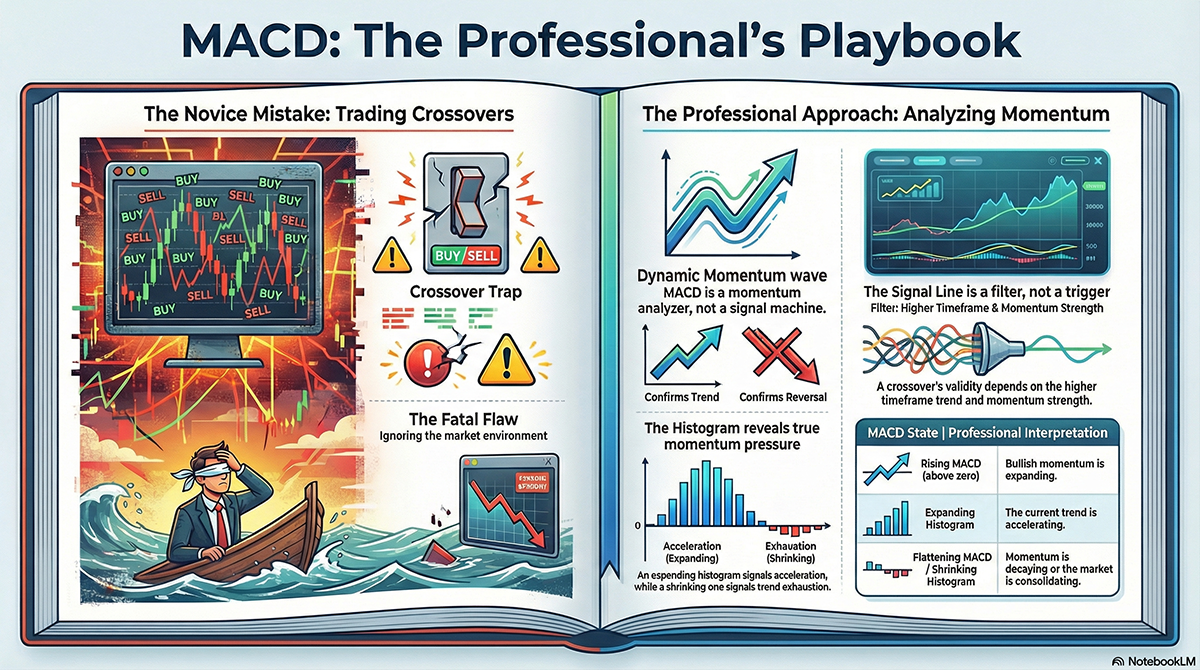
Why professional EAs treat MACD as a momentum engine, not a crossover toy. The MACD strategy is often introduced with a simple rule: when the MACD line crosses the signal line, buy or sell. That rule is easy to understand. It is also one of the fastest ways to build an EA that looks good in screenshots and fails in live trading. In system trading, MACD is not a trigger. It is a trend structure analyzer. This article explains how MACD is actually used in performance-focused trend following systems.
Why Simple MACD Crossovers Fail
A classic MACD crossover EA usually dies from one thing: too many trades in the wrong environment. In ranging markets, MACD lines cross constantly. Every crossover looks valid. Most of them are noise. Trend following systems do not ask: Did MACD cross.
They ask: What does this crossover mean in the current momentum regime.
Understanding MACD as Momentum Shifts
MACD is built from moving averages. That makes it slow by design. And that is a feature, not a bug.
What MACD really shows is momentum change, not price change.
- Rising MACD above zero means bullish momentum expansion
- Falling MACD below zero means bearish momentum expansion
- Flattening MACD means momentum decay
In trend following EAs, the goal is not to catch the first tick. The goal is to stay aligned with momentum once it exists.
The Signal Line Is a Filter, Not a Switch
The signal line is where most traders make mistakes. They treat it as an on/off button. In real systems, the signal line is a confirmation layer.
Examples of professional usage:
- Only trade MACD crossovers in the direction of the higher timeframe trend
- Ignore crossovers that occur near the zero line in low volatility
- Measure distance between MACD and signal line to estimate momentum strength
A weak crossover is information. It tells your EA to do nothing.
MACD and Trend Confirmation
One of MACD’s strongest roles is trend confirmation.
Trend following EAs often require:
- Price above a long-term moving average
- MACD histogram positive and expanding
- Signal line slope aligned with trend direction
This combination dramatically reduces false entries. Fewer trades. Better trades. MACD does not find trends. It confirms that a trend already has momentum behind it.
Histogram: The Most Ignored MACD Component
Many traders ignore the histogram. System traders love it. The histogram represents the distance between MACD and the signal line. That distance is momentum pressure.
- Expanding histogram means acceleration
- Shrinking histogram means exhaustion
- Flat histogram often precedes consolidation
In EAs, histogram behavior is often more valuable than the crossover itself.
How Trend Following EAs Use MACD
In production systems, MACD rarely appears alone.
Common EA implementations include:
- Trend regime detection using MACD zero line bias
- Entry timing using histogram expansion
- Exit logic when momentum decays instead of price reversal
- Trade suppression during flat MACD phases
MACD becomes part of a decision framework, not a single rule.
- MACD is a momentum shift indicator, not a signal machine
- Signal line crossovers require context
- Histogram behavior often matters more than the cross
- Trend following EAs use MACD to stay aligned, not predict reversals
If your MACD EA trades every crossover, you are trading noise. If it trades only when momentum, trend, and structure align, you are trading systems.
Comments