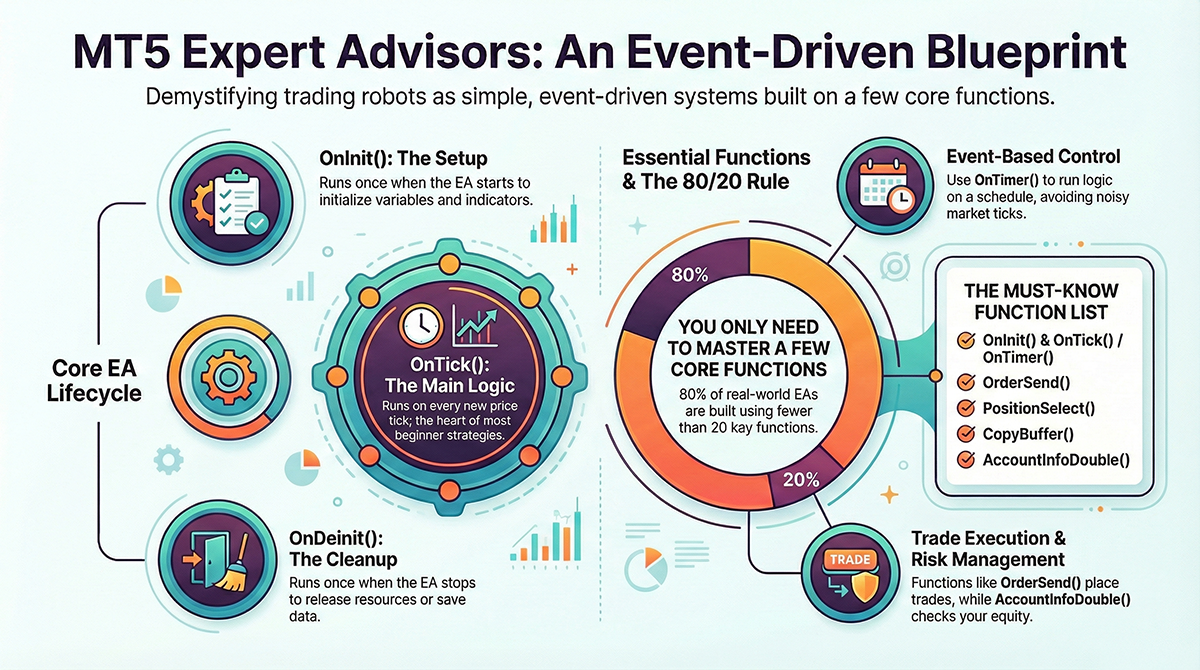
When people first start learning EA (Expert Advisor) development, they often assume there must be hundreds of rules or complex APIs to memorize. In reality, MT5 EAs are built on a small number of predefined methods that define when your code runs and how it interacts with the market. This article breaks down those predefined methods in a practical way: what they are, when they fire, and which ones actually matter if your goal is to build stable, profitable trading systems.
What Are “Predefined Methods” in an EA?
Predefined methods are functions that MetaTrader 5 automatically calls at specific moments. You do not call them yourself. Instead, the trading platform calls your code for you.
Think of them as hooks into the market lifecycle:
- When the EA starts
- When price updates
- When a trade executes
- When time passes
If you understand these methods, you understand how an EA truly works.
1. Core EA Lifecycle Methods (Mandatory)
These methods define the life of an EA. Every serious EA uses at least two of them.
| Method | When It Runs | What It Is Used For |
|---|---|---|
OnInit() |
When EA starts | Initialize indicators, variables, timers |
OnDeinit() |
When EA stops | Cleanup resources, save state |
OnTick() |
Every new tick | Main trading logic |
Important:
A minimal EA can be written with only OnInit() and OnTick(). Almost all beginner strategies live entirely inside OnTick().
2. Time and Event-Based Methods
Not all EAs should react to every tick. MT5 provides event-based methods for more controlled execution.
| Method | Trigger | Typical Use Case |
|---|---|---|
OnTimer() |
Fixed interval | Bar-close logic, session checks |
OnTrade() |
After trade update | Post-trade processing |
OnTradeTransaction() |
Every trade event | Precise execution tracking |
OnChartEvent() |
User interaction | Buttons, panels, UI EAs |
Most system traders use OnTimer() instead of tick-based logic to avoid overtrading and noise.
3. Trading Execution Functions (How EAs Place Orders)
These are not lifecycle methods, but they are essential predefined functions used inside them.
OrderSend()– send a trade requestOrderSendAsync()– non-blocking executionOrderCheck()– validate before sendingPositionsTotal()– count open positionsPositionSelect()– select a symbol position
Modern MT5 EAs work with positions and deals, not the old MT4-style order loops.
4. Indicator Access Methods
Indicators in MT5 are accessed through predefined functions. They return handles, not values.
iMA()– Moving AverageiRSI()– RSIiMACD()– MACDiATR()– ATR
To read data, you must explicitly pull it:
CopyBuffer()CopyRates()
This design forces discipline and prevents accidental look-ahead bias.
5. Account, Risk, and Market Info Methods
Professional EAs always query the environment instead of assuming values.
AccountInfoDouble()– balance, equitySymbolInfoDouble()– spread, point, tick sizeTimeCurrent()– server time
Risk control is not a strategy add-on. It is part of the EA’s core logic.
Are There Too Many Methods to Learn?
Officially, MQL5 provides hundreds of predefined functions. Practically, 80% of real EAs use fewer than 20.
If you master the following, you can already build production systems:
OnInit()OnTick()OnTimer()OrderSend()PositionSelect()CopyBuffer()AccountInfoDouble()
An EA is not a script that “runs all the time”. It is an event-driven system reacting to:
- Market ticks
- Time events
- Trade events
Once you understand predefined methods, EA development stops feeling mysterious and starts feeling like engineering. Less guessing. More structure. Better systems.
Comments